
Videoleap: AI Video Editor
Lightricks Ltd.Video Players & Editors
4.53.45K Reviews
- Version
- 1.39.1
- Installs
- 10.00M
- Age Rating
- Teen
Screenshots
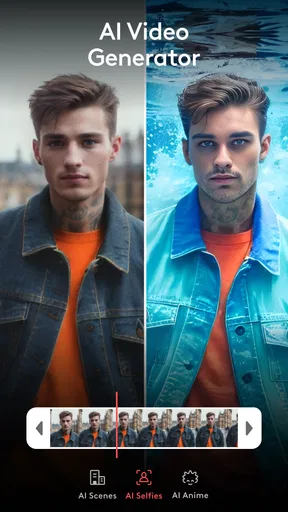
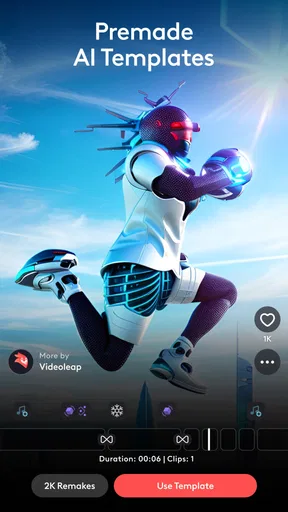
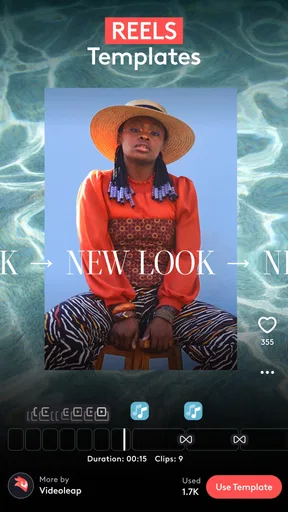
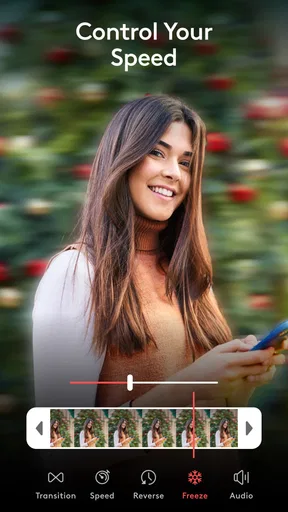
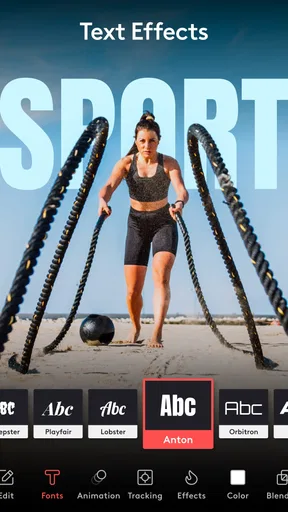
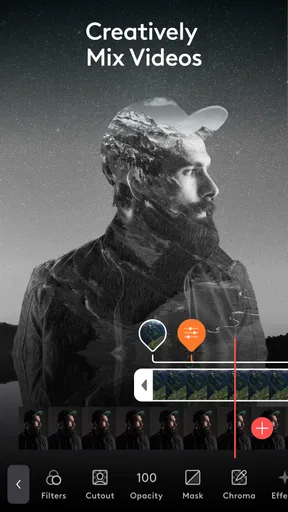
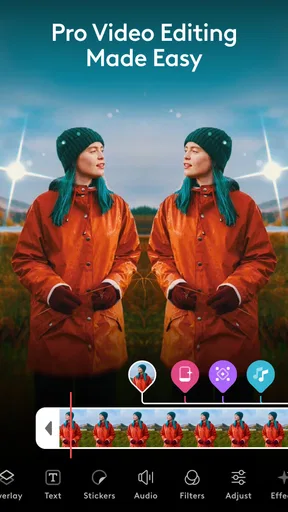
Our Review of Videoleap: AI Video Editor
 Analysis by Appyee
When I want a short video to feel deliberate rather than like a stack of unedited clips, I care less about having the most buttons and more about being able to shape the footage without leaving my phone. That is where Videoleap: AI Video Editor makes its strongest case: its AI-assisted video creation is aimed at helping turn raw material into something more finished, while still leaving me room to make the creative choices.
What AI assistance changes in an edit
AI can be useful when I have a clear idea of the result but do not want to build every part of the edit from scratch. In a video editor, the practical value is not that a tool can make every decision for me; it is that automated help can give me a quicker starting point for shaping footage. I still need to decide what belongs in the final cut, whether the pacing feels right, and which effects suit the subject.
That distinction matters. An automated suggestion is a draft, not a guarantee that a clip will match the mood I had in mind. I treat AI assistance as a way to explore possibilities, then review the result with the sound on and the full sequence in view. If a transition distracts from the story or an effect makes a face harder to see, I would rather simplify the edit than keep it just because it looks elaborate.
How I would approach a project
For a practical first project, I would start with a small set of clips that already belong together: a walk through a market, a few moments from a family gathering, or a quick look at a finished craft project. Before adding decoration, I would decide what the video is meant to show and remove footage that does not help. That simple choice often improves a short edit more than adding another visual effect.
From there, I would use the editor to build a basic sequence and explore its available creative tools. If I wanted a more layered look, Videoleap supports combining video, images, text, and effects; if the footage called for a stronger visual treatment, chroma key gives me another option. Those tools are most useful when they solve a specific problem, such as placing a subject against a different background, rather than being added just to demonstrate what the app can do.
A useful habit is to keep one clean version of the edit in mind before experimenting. I can try a filter or transition, then judge it against the simpler cut instead of assuming more treatment means a better result. This is especially helpful for social clips, where text, movement, and effects can quickly compete for attention on a small screen.
A realistic reason to reach for it
Imagine I have taken a handful of clips during a weekend outing and want to share a compact recap with friends. I could trim the footage, arrange the best moments, add a title, and see whether an effect or transition makes the sequence feel more connected. The point is not to turn an ordinary afternoon into a film production; it is to make the important moments easier to watch without sitting down at a computer.
That kind of job suits a phone editor well because the source clips are already on the device and the finished piece is likely to be watched on another phone. It also gives me a sensible way to learn: one short project, a clear purpose, and only a few creative choices to manage. Once I know how the editing controls fit my habits, I can decide whether a larger project is comfortable in a mobile workflow.
I would be more cautious about starting with a long, complicated project full of footage from different cameras and a tightly planned sequence. A mobile editor can make creative work accessible, but editing on a small screen still asks for patience when I need to compare many clips or make precise changes. For that kind of job, desktop software may be a better fit.
Where it sits among video editors
Compared with a very basic editor, Videoleap is appealing when I want more than straightforward trimming and joining. Its combination of AI-oriented editing and hands-on creative tools gives me room to experiment with layers, effects, and green-screen work without making a desktop program my starting point. That flexibility is useful for someone who wants an edit to have a personal look, not just a sequence of cuts.
The trade-off is that a simpler editor may be quicker if all I need is to remove a few seconds, place clips in order, and share them. At the other end, a dedicated desktop editor is usually the more comfortable choice for extended, detail-heavy work. I see Videoleap between those options: more creative scope than a bare-bones tool, with the convenience of working on a phone, but not a substitute for every professional workflow.
Getting Started with Videoleap
So, let's dive into the nitty-gritty. Installing Videoleap: AI Video Editor was a breeze. Just head over to the App Store or Google Play, hit download, and you're good to go. The interface is sleek, modern, and surprisingly intuitive. Right from the start, it feels like you're about to embark on a creative adventure.
It is a free app from Lightricks Ltd., and it sits in the video players and editors category. The audience rating is Teen, so it is worth keeping that in mind if you are choosing an editor for a younger user. The current version is 1.39.1, and it requires Android 8.0 or later on Android devices.
Its reach suggests that many people are willing to try it: it has more than 10 million installs, with an average rating of 4.5 from around 198,000 ratings and about 3,400 written reviews. I would treat that as useful context rather than a promise that every editing session will be effortless; whether it suits me depends much more on the sort of videos I make and how much control I want.
Features That Make You Go "Wow"
One word: features. This app is jam-packed with all sorts of tools that make video editing not just easier, but genuinely fun. Here's a quick rundown of some of my favorites:
- AI-Powered Editing: The AI capabilities are pretty impressive. It can suggest edits, transitions, and even effects based on the content of your video. It's like having a mini Spielberg in your pocket.
- Layering: You can layer videos, images, text, and effects to create something truly unique. The drag-and-drop functionality is smooth and user-friendly.
- Chroma Key: Ever wanted to play around with greenscreen effects? Now you can, and it's way easier than you'd think.
- Effects and Filters: From glitch effects to retro filters, the range is vast and constantly updated.
Layering is where I would spend time when a project needs more than a basic cut. It can help separate the main footage from supporting details, such as a title or an image, and gives me a way to build a more intentional composition. The practical tip is to keep a clear visual hierarchy: if the text, subject, and effects all demand attention at once, the viewer may not know where to look.
Chroma key is similarly best approached with a specific goal. It is an option for green-screen-style edits, but the source footage still matters; a clean, evenly lit background is easier to work with than a messy one. I would test a short section before building a whole video around the effect, so I can see whether the subject separates convincingly from the background.
My Editing Experience
Using Videoleap felt like I was in a creative playground. The app's performance is snappy, and I never felt bogged down by lag or crashes, which is a lifesaver when you're deep into editing mode. The export options are diverse, letting you choose the right quality and format for your needs.
What really surprised me was how professional my final videos looked. I could easily see myself using this app for everything from casual Instagram stories to more serious YouTube projects.
For a more reliable workflow, I would decide on the destination before polishing the edit. A quick social post and a longer video project do not necessarily need the same pacing or amount of visual detail. I would also watch the finished sequence from beginning to end before sharing it; transitions that seem fine while editing one clip at a time can feel abrupt when viewed as a continuous piece.
One question people often have is whether the app can be used without paying. Videoleap is free to download, but it also offers in-app purchases, with items priced from $3.99 to $299.99. Since some tools are behind a paywall, I would explore the free experience first and only consider a purchase if a feature I genuinely need is unavailable without it. That is a better way to judge value than assuming every project requires a paid option.
Things to Keep in Mind
While Videoleap is mostly a joy to use, there are a couple of things to keep in mind. Some of the cooler features are behind a paywall, but honestly, it's worth considering the subscription if you're looking to dive deep into video editing.
The app is designed to be user-friendly, but if you're completely new to video editing, there might be a bit of a learning curve. Thankfully, there are plenty of tutorials and resources to help you out.
The learning curve is not only about finding the buttons. It is also about making editing decisions: when to cut, how much text to show, and whether an effect supports the moment or distracts from it. I would learn one tool at a time on a short clip rather than trying to understand every option at once. That keeps the first project manageable and makes it easier to tell which features I will actually use.
There is also a real difference between creative freedom and speed. Layers, filters, and effects can make a video feel more personal, but every extra choice takes attention. If I am in a hurry or only need a clean trim, a simpler editor may get me to the finished file with less fuss. Videoleap makes more sense when I want to shape the look of the video, not merely cut it down.
I would also keep expectations grounded around AI. It can help me get moving, but I would still review the sequence rather than accept suggestions automatically. A tool cannot know which moment matters most to my audience, and an edit that is technically polished can still miss the feeling I want to convey. My judgement remains the most important part of the process.
Who will get the most from it
I would recommend Videoleap to someone who regularly makes short videos on a phone and wants room to experiment beyond basic trimming. Creators preparing social clips, hobbyists documenting projects, and people who enjoy combining footage with text or visual effects are likely to find the broader toolkit worthwhile. Its appeal is strongest when I have a visual idea and want to try it without first learning a full desktop editing suite.
On the other hand, I would skip it if my only need is to crop a clip or join two recordings with no extra styling. I would also look elsewhere if I prefer a highly structured desktop timeline for long-form work, or if I do not want to navigate paid features while exploring an editor. The best choice depends on whether I value creative options enough to spend time learning them.
The Final Verdict
All things considered, Videoleap: AI Video Editor is a fantastic tool for both beginners and seasoned editors. Its blend of powerful features and user-friendly design makes it a standout in the crowded world of video editing apps.
If you're looking to up your video game without getting bogged down by complex software, give Videoleap a shot. You might just find yourself wondering how you ever lived without it.
Verdict
Strengths of Videoleap: AI Video Editor
- User-friendly interface for quick edits
- Wide range of AI-driven effects
- High-quality export options
- Intuitive timeline for easy navigation
- Regular updates with new features
Limitations of Videoleap: AI Video Editor
- Some features require a subscription
- Occasional lag on older devices
- Limited free export options
- In-app purchases can be pricey
- Requires internet for some features
Other Releases by Lightricks Ltd.
View All
Motionleap by Lightricks
Photography4.0

Facetune: Hair, Photo Editor
Photography4.4

Lightleap by Lightricks
Photography4.0

Boosted Ad Maker by Lightricks
Video Players & Editors4.3
Similar Picks in This Category
View All
Google TV
Google LLC3.9

iTunes
Apple4.7

YouTube
Google LLC3.8

MX Player
Amazon Mobile LLC4.2

CapCut - Video Editor
Bytedance Pte. Ltd.3.5

PLAYit-All in One Video Player
PLAYIT TECHNOLOGY PTE. LTD.4.5
Frequently Asked Questions
What features does Videoleap: AI Video Editor offer?
Videoleap: AI Video Editor provides a comprehensive suite of features for both beginners and professionals. Users can enjoy multi-layer editing, special effects, transitions, and AI-driven tools for automatic scene detection and editing. The app also includes advanced features like keyframe animations, green screen capabilities, and a wide selection of filters and overlays.
Is Videoleap suitable for beginners in video editing?
Yes, Videoleap is designed to cater to both novices and experienced editors. Its intuitive interface makes it easy for beginners to learn the basics of video editing. The app offers tutorials and tips to help users get started, while the AI-driven tools simplify complex editing tasks. Advanced features are available for users as they become more skilled.
Can I use Videoleap on both Android and iOS devices?
Currently, Videoleap is available on iOS devices. While there is significant demand for an Android version, users will need to check the app store for updates regarding its availability on Android. iOS users can download it directly from the Apple App Store and enjoy seamless video editing on their devices.
Does Videoleap support exporting videos in high resolution?
Yes, Videoleap supports exporting videos in high resolution, including 4K, ensuring that your projects maintain their quality across various platforms. The app allows you to choose different export settings depending on your needs, making it suitable for both social media sharing and professional presentations.
Are there any in-app purchases or subscription fees in Videoleap?
Videoleap offers both free and premium features. While the free version provides access to basic editing tools, subscribing to the premium version unlocks advanced features and removes watermarks. Users can opt for a monthly or annual subscription, and there are periodic offers and discounts available for new users.
